
Facebook cover crop for every screen
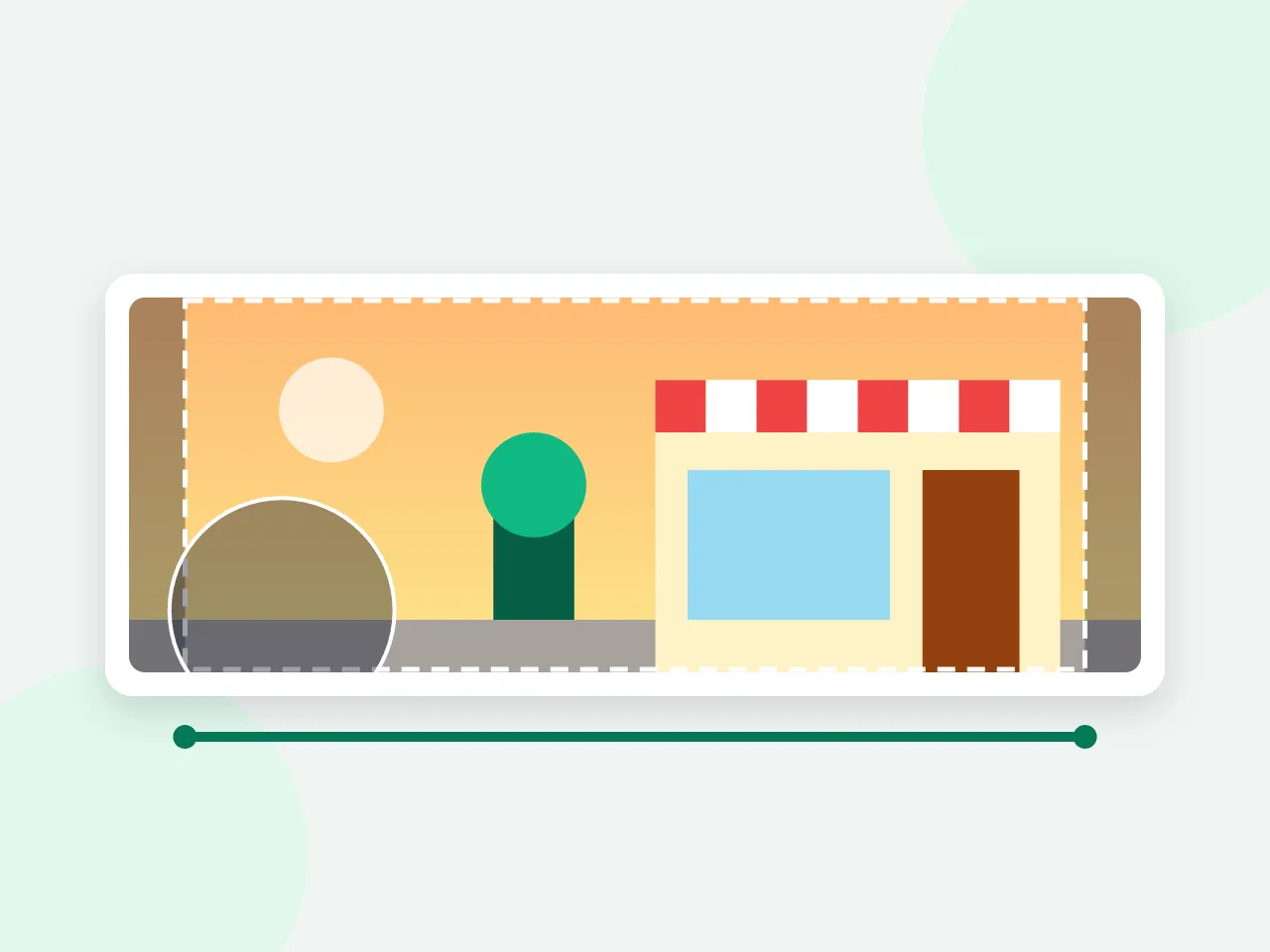
Facebook’s help page says the cover is left aligned with a full bleed and is shown at 16:9 on computers and 2.4:1 on phones. One file has to work in both places. The dashed box on the preview marks the 2.4:1 phone view, so keep faces, names, and logos inside it.
Drag the photo to move it and use the slider, the wheel, or a pinch to zoom. If the picture is a wide landscape, slide it until the horizon sits a little below the middle. For a group photo, keep everyone inside the phone view.
Leave room for the profile picture
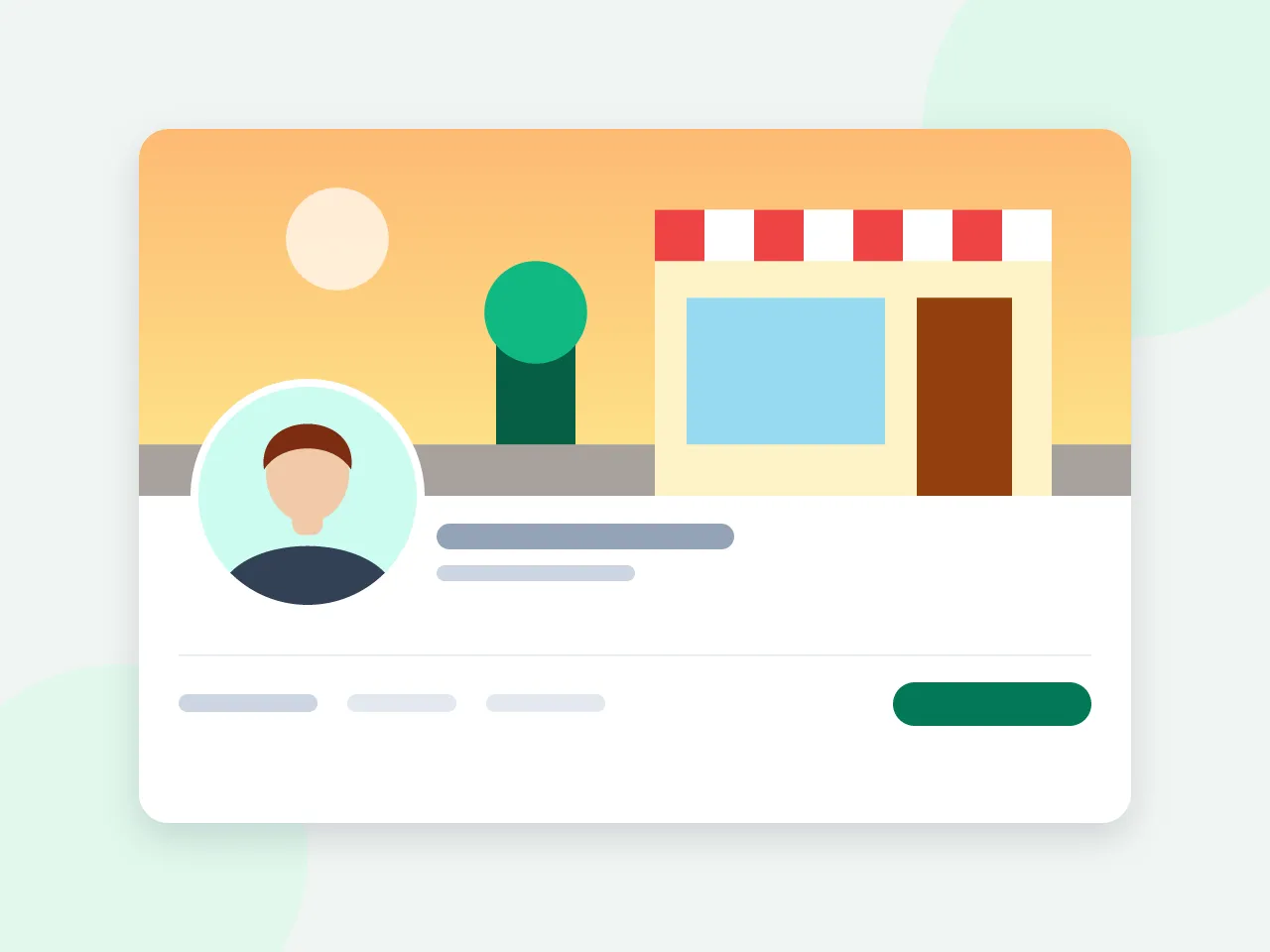
Facebook notes that the left side of the cover is partly covered by the profile picture, and that on phones the picture overlaps the cover by about 40 pixels. The shaded circle on the preview marks that area as an approximate guide. Keep text and faces to the right of it.
A cover that leaves space on the left also looks calmer, because the round profile picture and the busy part of the cover do not compete. Good subjects sit right of center: a storefront, a team, or the main dish.
What Facebook asks for
The numbers below come from Facebook’s help page on Page profile and cover photo dimensions. The presets in this tool follow them.
| Item | What Facebook says |
|---|---|
| On a computer | Left aligned, full bleed, 16:9 |
| On a phone | Left aligned, full bleed, 2.4:1 |
| Minimum size | 400 pixels wide and 150 pixels tall |
| Loads fastest | sRGB JPG, 851×315, under 100 KB |
| Logo or text | A PNG file may give a better result |
Which size and file type to pick
- 851×315 JPG with Keep under 100 KB on: the setting Facebook says loads fastest.
- 1702×630: twice as many pixels for sharper detail on large screens. The file is larger, so it may go over 100 KB.
- 2.4:1 phone: when most visitors open your Page on a phone and the cover is a simple photo.
- PNG: for a cover with a logo, a name, or thin lines, where JPG can leave soft edges.
How the 100 KB limit works
With Keep under 100 KB switched on, the tool tries several JPG quality levels and keeps the best one that fits. The size and the quality it chose appear next to Format. A plain sky fits easily, while a busy crowd may need the smaller size before it fits.
If you would rather keep every detail, switch the limit off and use the quality slider. Facebook can still show the larger file. The limit only follows its advice about what loads fastest.
Fit a poster or a logo without cutting it
Event posters and logos are rarely as wide as a cover. Fill would cut off their top and bottom. Fit keeps the whole design and fills the sides with a soft blur of the same picture or a solid color you pick, so dates and names stay readable after the Facebook cover crop.
Mistakes that spoil a cover
- Putting a face or a name in the lower left, under the profile picture.
- Placing text near the far left or right, where phones trim the cover.
- Uploading a tall photo and letting Facebook decide what to keep.
- Saving a cover with fine text as a heavily compressed JPG.
Finish the rest of your profile
The cover sits behind your profile picture, so make that round photo next with the Facebook profile picture cropper. If a photo is tilted, fix it with rotate image, and if it shows faces or plates you would rather hide, use blur image before the Facebook cover crop.
Free and private
There is no account, no limit, and no watermark. The photo never leaves your device, and closing the tab clears it.
Frequently asked questions
What size should a Facebook cover crop be?
Facebook says an sRGB JPG at 851×315 pixels and under 100 KB loads fastest. The minimum is 400×150 pixels.
Why does my cover look different on a phone?
Facebook shows the cover at 2.4:1 on phones and 16:9 on computers, so the sides or the top and bottom are trimmed. Keep the subject inside the dashed phone view.
Where does the profile picture cover my cover photo?
Over the lower left. On phones it overlaps the cover by about 40 pixels, according to Facebook. The shaded circle shows the approximate area.
How do I keep a logo or a poster whole?
Switch to Fit. The whole design stays inside the cover, and the sides are filled with a blur or a color you pick.
Should I use PNG or JPG?
JPG for photos, since Facebook says a small JPG loads fastest. PNG for a cover with a logo or text.
Is my photo uploaded?
No. The crop happens in your browser and nothing is sent to a server.
Sources
- Facebook Help: Page profile picture and cover photo dimensions: 16:9 on computers, 2.4:1 on phones, at least 400×150, fastest as an sRGB JPG at 851×315 under 100 KB
- createImageBitmap: The browser decodes the photo on this device
- HTMLCanvasElement.toBlob: The download is written by the browser, not uploaded