
Put picture in heart shape for a card
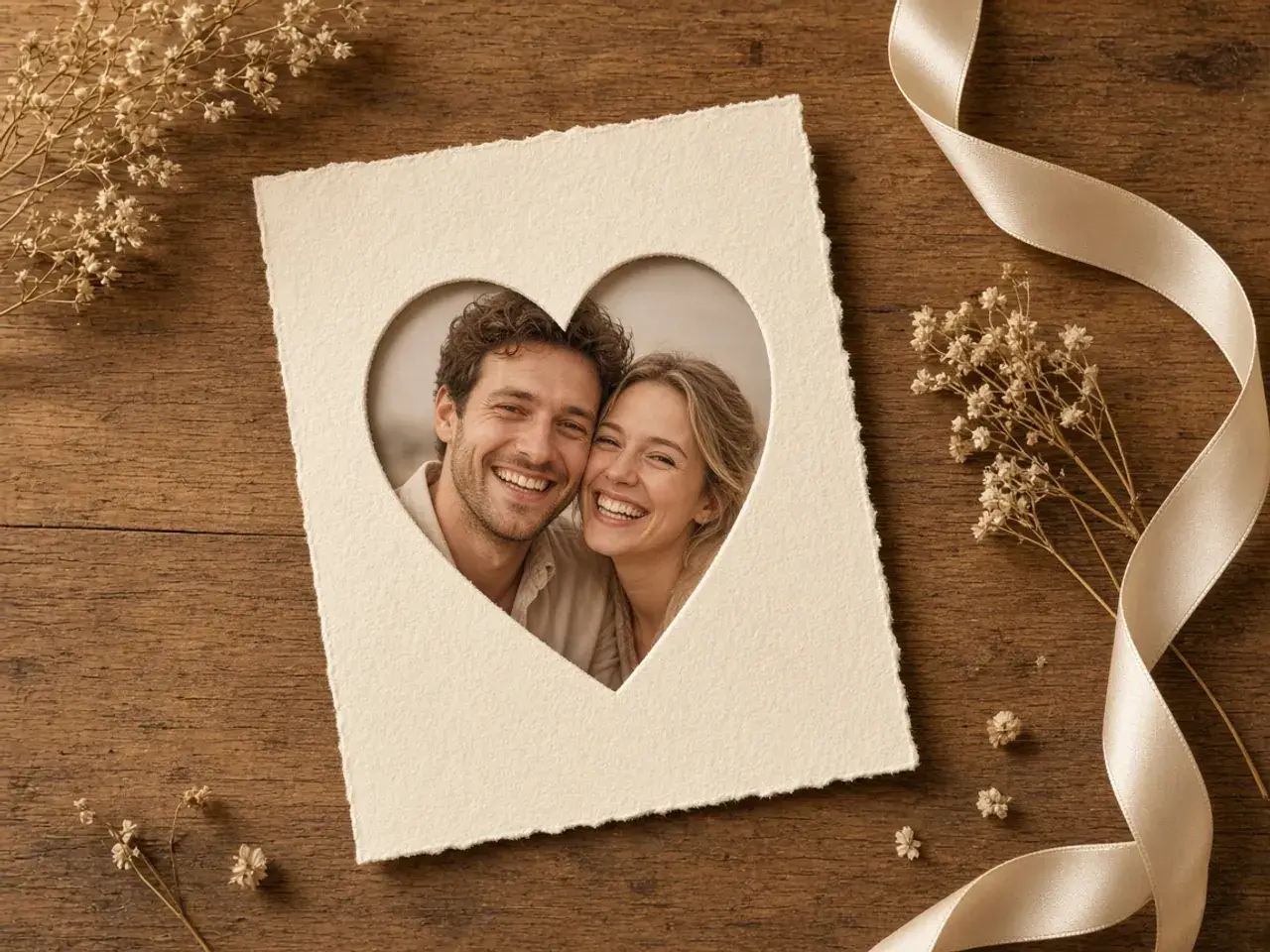
A heart-shaped photo makes a birthday card, a Valentine’s note, or an anniversary message instantly personal. Choose a picture where the faces are close together, then place them in the wide upper part of the heart, where there is the most room. The point at the bottom works well for shoulders or a bit of background.
Download the heart crop image as a PNG and drop it onto your card design. The paper color shows around the heart, so it looks printed rather than pasted.

Pets, babies, and best friends
Heart photos are not only for couples. A puppy’s face, a newborn’s first smile, or two best friends on a trip all look lovely in a heart. They make great birthday posts, nursery prints, and gift tags.
Pick a photo with a simple background so the heart outline stays clear. If the subject is small in the picture, zoom in until the face fills most of the heart.
Heart crop image ideas
- Valentine’s Day cards and love notes.
- Wedding invitations, save-the-dates, and thank-you cards.
- Mother’s Day and Father’s Day gifts.
- Baby announcements and first-birthday posters.
- Pet birthday posts and memorial keepsakes.
- Scrapbook pages and photo collages.
Tips for a beautiful heart photo
Faces belong in the upper half of the heart, where it is widest. If two people are in the photo, try to fit one face in each of the two rounded lobes. Tilt the photo slightly if the people lean, so they sit upright in the shape.
For printing, choose a larger size so the heart stays sharp on paper. For a message or a social post, a smaller file loads faster and looks just as good on a phone.
Choosing the right photo
Close-up photos work best. When the faces fill a good part of the original picture, they stay large and clear inside the heart. A photo taken in soft daylight, with the people looking at the camera, usually looks warmer than a dark indoor shot.
A simple background helps too. Sky, a plain wall, or a blurry garden lets the heart outline stand out, while a busy crowd behind the people can make the shape harder to see.
Sizes for screen and print
For a phone message, a story, or a social post, a smaller heart crop image is plenty and sends quickly. For a printed card, a frame, or a poster, pick a larger size so the outline stays crisp and the faces stay sharp. If you are not sure, choose the larger file; it is easy to shrink later, but a small file cannot be made sharper.
Keep the original photo as well, in case you want a different crop for another card. The same picture might work as a close-up for one gift and a wider heart with more background for another one.
Making a card or a collage
Once you have the heart crop image, place it on your card design, a printable template, or a collage. Because the background is clear, you can put it on any color, a pattern, or another photo. Add a short message underneath, or arrange several heart photos in a row for a family or a friendship collage.
For a classic look, set a red or pink heart photo on cream paper. For something modern, use a pastel background and plenty of white space around it.
Put picture in heart shape for gifts
A heart crop image makes a simple, personal gift. Print one for a small frame, a mug design, a photo keychain, or a gift tag. Grandparents love a heart of the grandchildren, and couples often use one on a wedding favor or an anniversary book.
If a print shop will make the gift, download the largest size available and ask whether they prefer a clear or white background.
Heart or circle?
Profile pictures on social networks and chat apps are always shown as circles, so a heart would be cropped again. Use the heart for cards, prints, and posts. For a round profile photo, use the circle crop image editor or the PFP cropper.
Private and free
Your photo stays in your browser while you work. Nothing is uploaded, there is no sign-up, and the heart crop image you download has no watermark.
Frequently asked questions
How do I put picture in heart shape on my phone?
Open this page, tap to choose a photo, drag the faces into the top of the heart, and download the result.
Can the background around the heart be transparent?
Yes. Download a PNG and the area outside the heart stays clear.
What size should I choose for printing?
Pick one of the larger sizes so the heart stays sharp on a card or a print.
Can I use a heart crop image as my profile picture?
Most apps show profile pictures as circles, so the heart would be cut again. It works best on cards and posts.
Can I fit two people in the heart?
Yes. Place one face in each rounded top part of the heart for a balanced look.
Is my photo uploaded?
No. The heart is created in your browser, and your photo never leaves your device.
Sources
- createImageBitmap: The browser decodes the photo on this device
- HTMLCanvasElement.toBlob: The download is written by the browser, not uploaded